Best AI Video Generators for Creators – Expert Comparison 2025
Discover the best ai video generators for 2025. Compare 5 top products to enhance your video content creation experience.
Best AI Video Generators for Creators – Expert Comparison 2025
Turning a story or idea into a compelling video is quicker and easier than ever before. With new advances in artificial intelligence, video creation is no longer just for the experts. Anyone can now produce videos with professional details and lifelike visuals using only a few clicks or prompts. These tools bring script writing, editing, and production into one place so that even complex videos can be finished in minutes. Whether you want to share a message, promote a product, or visualize creative ideas, the possibilities keep expanding. What makes each platform different and which one fits your needs best? The answers may surprise you.
Table of Contents
Palmedor.ai
At a Glance
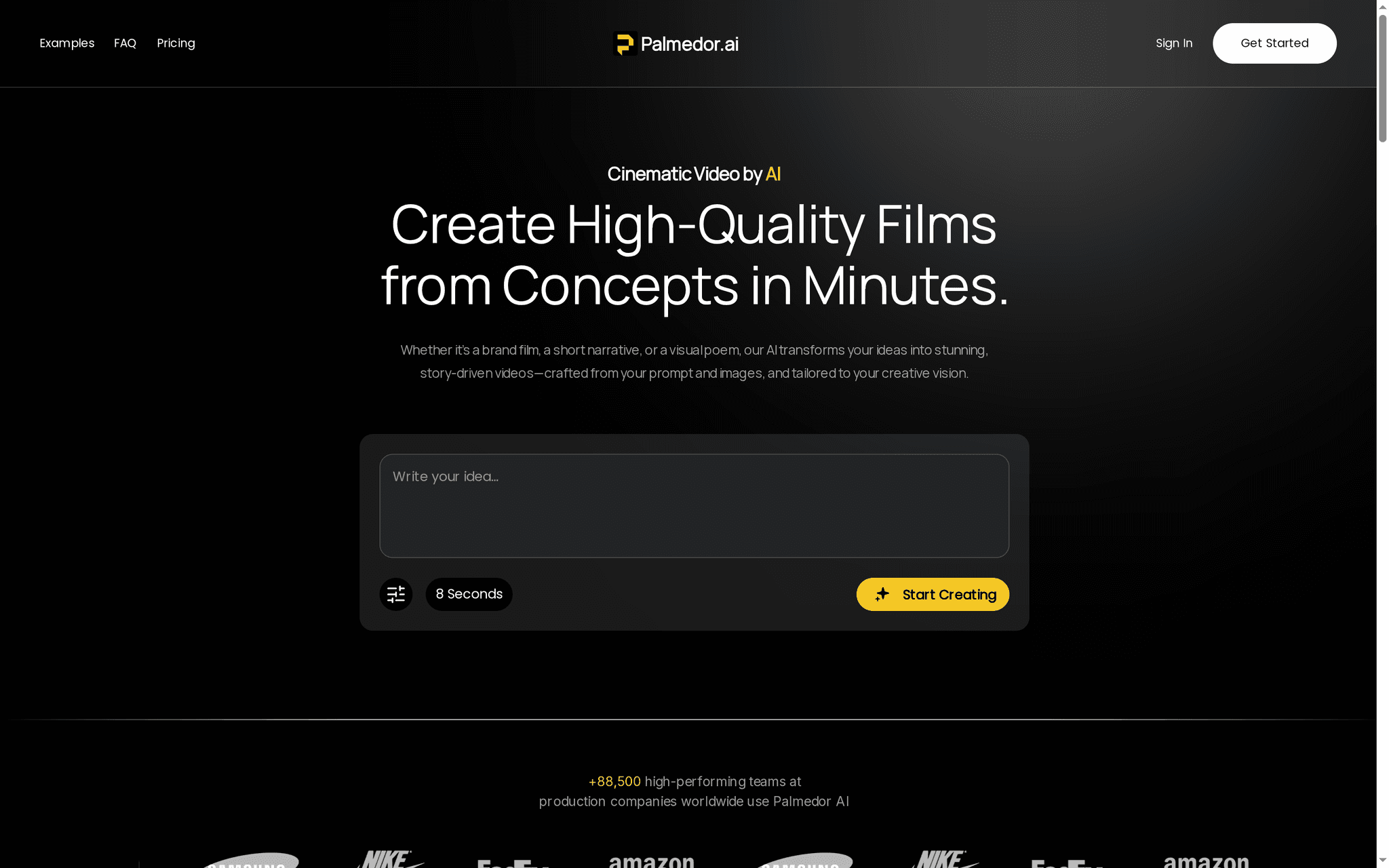
Palmedor.ai is a cinematic AI video creation platform that turns concepts and prompts into high-quality, story-driven films in minutes. It’s built to give creators and teams studio-grade results without a steep learning curve, combining script generation, scene control, and professional rendering into one workflow. The trade-offs are intentional: pricing skews toward professionals rather than casual hobbyists, output quality depends on how well the AI interprets your inputs, and being web-based means you’ll want a stable connection. Still — for marketers, filmmakers, and visual storytellers who need speed plus polish, Palmedor.ai delivers.
Core Features
Palmedor.ai centers on AI-powered cinematic video creation from prompts and images, with full script generation and editing before production. Scene management tools let you fine-tune beats and transitions, and production-grade rendering delivers realistic characters and professional lighting. Multiple output formats and resolutions are available and optimized for social, presentation, or downloadable delivery. Common use cases include cinematic short films and narratives, brand videos and social ads, visualization of film ideas, and generating professional scripts and scenes for larger projects.
Pros
- User-friendly platform that simplifies video production: the interface and AI-first workflow reduce technical barriers so creators can focus on storytelling.
- High-quality, cinematic results with AI automation: renders prioritize realistic characters and lighting to achieve a polished, studio-like aesthetic.
- Flexible editing tools for fine-tuning scripts and scenes: you can iterate narrative, timing, and scene details without rebuilding projects from scratch.
- Multiple formats for diverse use cases: outputs are optimized for social media, presentations, and downloadable masters to fit distribution needs.
- Supports professional-grade features like realistic characters and lighting: production-level rendering elements elevate the finished video beyond typical quick-edit tools.
Who It's For
Palmedor.ai is ideal for content creators, filmmakers, marketers, and visual storytellers who want an easy-to-use AI-powered platform to produce high-quality videos without extensive technical expertise. If you lead a marketing team that needs quick promotional assets, a filmmaker vetting story ideas, or an agency delivering brand films at scale, Palmedor fits the workflow: rapid concept-to-render with room for creative control.
Unique Value Proposition
Palmedor.ai’s strength is how it combines narrative-first tooling with production-grade rendering in one streamlined system. Few platforms pair full script generation and in-editor script edits with scene management and photoreal rendering; Palmedor does. That means you can go from a concept prompt to a finished, distribution-ready video far faster, while keeping precise creative control over scenes, characters, and lighting. The platform is designed to scale — from short social clips to longer narrative pieces — and its pricing tiers reflect different production needs. In short: it’s engineered to empower creators to produce cinematic, professional results without hiring a full production crew.
Real World Use Case
A marketing team uses Palmedor.ai to rapidly create a product-launch video: they start with a concise prompt and reference images, let the platform generate a script and scene breakdown, tweak dialogue and shot timing, then render a polished video ready for social and paid channels.
Pricing
Starting at $28/month — Creator plan: $28/month, 200 seconds of video; Producer plan: $184/month, 300 seconds of video with 1080p quality and additional features.
Website: https://palmedorai.com
Runway ML
At a Glance
Runway ML is a research-driven platform that brings foundational AI models and multimodal simulators into practical creative workflows for images and video. It excels at transforming concepts into editable assets—think style transfer, element removal, and upscaling—while offering specialized apps for targeted tasks. For creators who need experimental, high-quality results and are comfortable with advanced tools, Runway is a compelling choice; for users seeking simple, plug-and-play workflows, there can be a learning curve.
Core Features
Runway provides AI-powered image and video generation, plus a suite of editing and transformation tools that include style transfer, element removal, and resolution upscaling. The platform bundles these capabilities into modular apps aimed at distinct creative tasks, and it supports dialogue and performance mapping to help build character-driven content. Its foundation in research means it delivers cutting-edge model access and multimodal simulators that integrate into entertainment, advertising, gaming, and product visualization pipelines.
Pros
- Broad creative toolkit: Runway offers a wide range of AI tools for both images and videos, enabling creators to rapidly iterate on concepts without rebuilding pipelines from scratch.
- App-based flexibility: The platform’s specialized apps let you pick only the tools you need for a task—background removal today, VFX experiments tomorrow—without a monolithic interface getting in the way.
- Plans for different users: Subscription options and enterprise solutions mean teams can scale access and integrations as project scope grows.
- Active R&D: Ongoing research and partnerships feed new features into the product, keeping its model capabilities current and experimental workflows fresh.
Cons
- Cost for large deployments can be high: Pricing for large-scale or enterprise use may become expensive when projects demand heavy compute or custom integrations.
- Technical features can be complex: Several advanced capabilities require technical know-how to unlock their full potential, which can slow onboarding for less technical creators.
- Unclear free-tier boundaries: Information on exactly what’s included in free credits and trial access is limited, making it harder to evaluate without hands-on testing.
Who It's For
Runway ML is aimed at creative professionals, media producers, content creators, and organizations that need advanced AI tools for multimedia creation and editing. If you produce promotional videos, visual effects, or experimental content and can invest time testing model settings, this platform will reward that effort.
Unique Value Proposition
Runway’s strength is marrying research-grade AI models with a modular app approach, so teams can leverage cutting-edge generative tools in focused, workflow-friendly ways. That blend of innovation plus practical tooling sets it apart from simpler consumer-focused generators.
Real World Use Case
A media company used Runway to produce high-quality visual effects and generate multiple versions of promotional videos for marketing campaigns, significantly reducing production time and costs while enabling faster creative iteration.
Pricing
From $0 with limited credits for individuals up to custom enterprise solutions; plans start at $0 for basic individual access and scale to enterprise pricing for custom integrations.
Website: https://runwayml.com
Synthesia

At a Glance
Synthesia is a purpose-built AI video platform for businesses that need to create, localize, and publish videos at scale without a full production crew. It generates studio-quality videos using AI avatars and voiceovers in 140+ languages, making localization fast and consistent. For teams focused on training, internal comms, or marketing, Synthesia offers clear time and cost advantages — but it trades off some fine-grained editing control. Bottom line: great for scalable, brand-consistent video production where speed and localization matter.
Core Features
Synthesia’s core capabilities center on automating video creation and localization: you can produce polished videos with AI avatars and voiceovers across 140+ languages, transform existing content to match your brand style, and translate videos into multiple languages with a single click. The platform includes real-time team collaboration, built-in transcription and screen recording features, and simple brand controls so output aligns with corporate guidelines. These features combine to compress workflows that traditionally took weeks into a matter of minutes.
Fast. Global. Scalable.
Pros
- Easy to use with minimal onboarding required. The interface is designed so teams can start producing videos quickly without long training cycles.
- Significant time and cost savings in production. Organizations report dramatically faster turnaround versus studio shoots, with translation and localization done automatically.
- Supports a wide array of languages and customization options. With 140+ languages, Synthesia makes consistent global messaging practical for multinational teams.
- Robust collaboration and integration features. Real-time teamwork and unified project spaces keep stakeholders aligned and speed approval cycles.
- Trusted by large enterprises. Over 2,000 reviews and adoption by many Fortune 100 companies indicate reliability at scale.
Cons
- Less control over detailed video editing compared to traditional tools. If you need frame-by-frame color grading, complex motion graphics, or advanced timeline editing, Synthesia’s automated pipeline may feel limiting.
- Limited avatar customization beyond basic personalization. Avatars can be tailored to brand needs to an extent, but deep, photoreal customizations are constrained.
- Cost can scale quickly for larger teams or heavy usage. While efficient, enterprise needs and higher volumes can drive pricing beyond small-team budgets.
Who It's For
Synthesia is best suited for businesses of varied sizes that need efficient, repeatable video production—especially marketing teams, HR and training departments, corporate communications, and global brands. If you produce lots of short-form instructional, onboarding, or announcement videos and must maintain consistent messaging across languages, this platform is a clear fit.
Unique Value Proposition
Synthesia’s unique value is its ability to convert written and existing content into localized, brand-aligned videos rapidly, removing most logistical and production friction. It’s not about replacing high-end studios; it’s about scaling consistent video output across regions and languages with minimal overhead.
Real World Use Case
A multinational corporation used Synthesia to produce localized training videos in multiple languages, cutting production time from weeks to minutes while reducing costs and ensuring consistent messaging across global offices.
Pricing
Starting at $18/month for basic plans, with higher tiers unlocking longer videos and additional customization.
Website: https://synthesia.io
Pictory
At a Glance
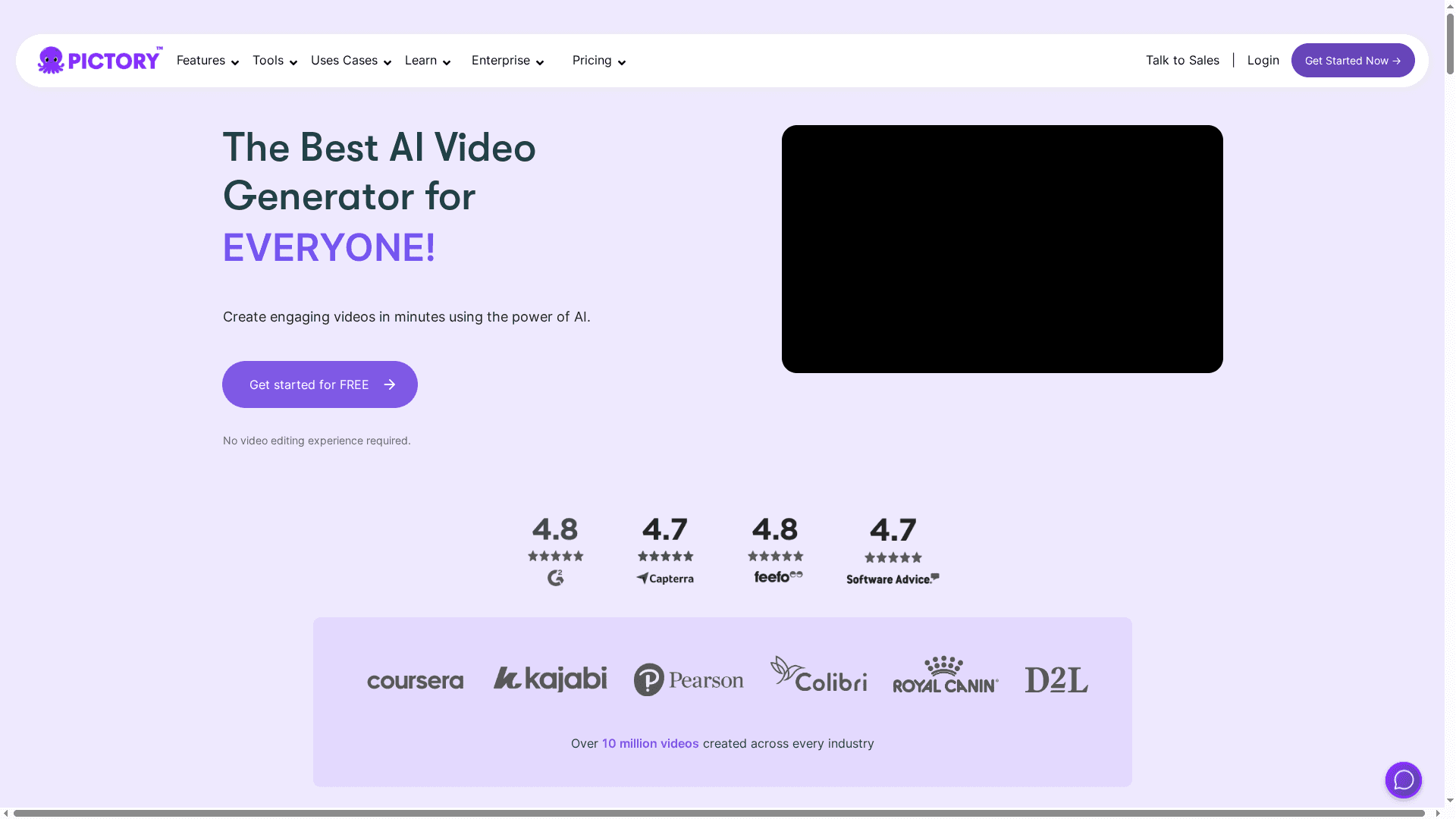
Pictory is an AI-powered video creation platform that helps creators and teams produce polished videos in minutes, even without prior editing experience. It supports text-to-video generation, URL-to-video conversion, automatic captions, and highlights, and claims over 10 million videos created worldwide. The interface emphasizes speed and automation, making it a strong choice for marketers and social media teams who need fast turnarounds. That said, some advanced capabilities are gated behind higher-tier plans, which is worth noting for budget-conscious users.
Core Features
Pictory combines several AI-driven workflows: text-to-video generation with realistic voices, visuals, and music; converting URLs and PowerPoint slides into videos; extracting highlights and branded clips from long footage; automatic captioning; team collaboration in real time; and AI script generation from ideas. These features are tied together with customizable templates and branding options that streamline repurposing and multi-platform output.
Pros
- Easy to use for non-editors: The platform is designed so creators without editing experience can generate professional-looking videos quickly.
- Multilingual and realistic voices: Pictory supports multiple languages and includes realistic AI voice options to broaden reach and localization.
- Broad automation for repurposing: Automated highlights, captioning, and URL-to-video transforms significantly reduce manual editing time.
- Templates and branding controls: A wide range of customizable templates and branding options make it simple to maintain visual consistency across campaigns.
- Collaborative workspace: Real-time collaboration tools let teams work together on scripts and projects without juggling separate file versions.
Cons
- Pricing may be high for some users or small teams: The Starter plan begins at $19/month, but full access to higher-minute allowances and advanced features requires upgrading to more expensive tiers.
- Some features are locked behind higher-tier plans: Advanced capabilities like larger asset pools or additional export minutes are limited to upper plans, which can hinder small teams.
- Dependent on internet connection and browser performance: Because Pictory is cloud-based, performance and stability are tied to your network and browser, which can affect rendering or collaboration in weak environments.
Who It's For
Pictory is ideal for content creators, marketers, educators, social media managers, and businesses that need to produce a steady stream of videos without a full production team. If your priority is speed—converting blog posts, scripts, presentations, or long footage into platform-ready clips—Pictory fits that workflow well.
Unique Value Proposition
Pictory’s core advantage is accelerating content repurposing and creation through AI: turn text, URLs, or slides into branded videos with captions and voiceover in minutes, while enabling team collaboration. It’s focused on saving production time while preserving consistent brand output.
Real World Use Case
A digital marketer converts blog posts and YouTube scripts into short social videos and branded highlights for campaign distribution, cutting production time and maintaining consistent messaging across channels.
Pricing
Starting at $19/month for the Starter plan, with higher tiers offering more minutes, assets, and features; annual plans offer discounts up to 40%.
Website: https://pictory.ai
Lumen5
At a Glance
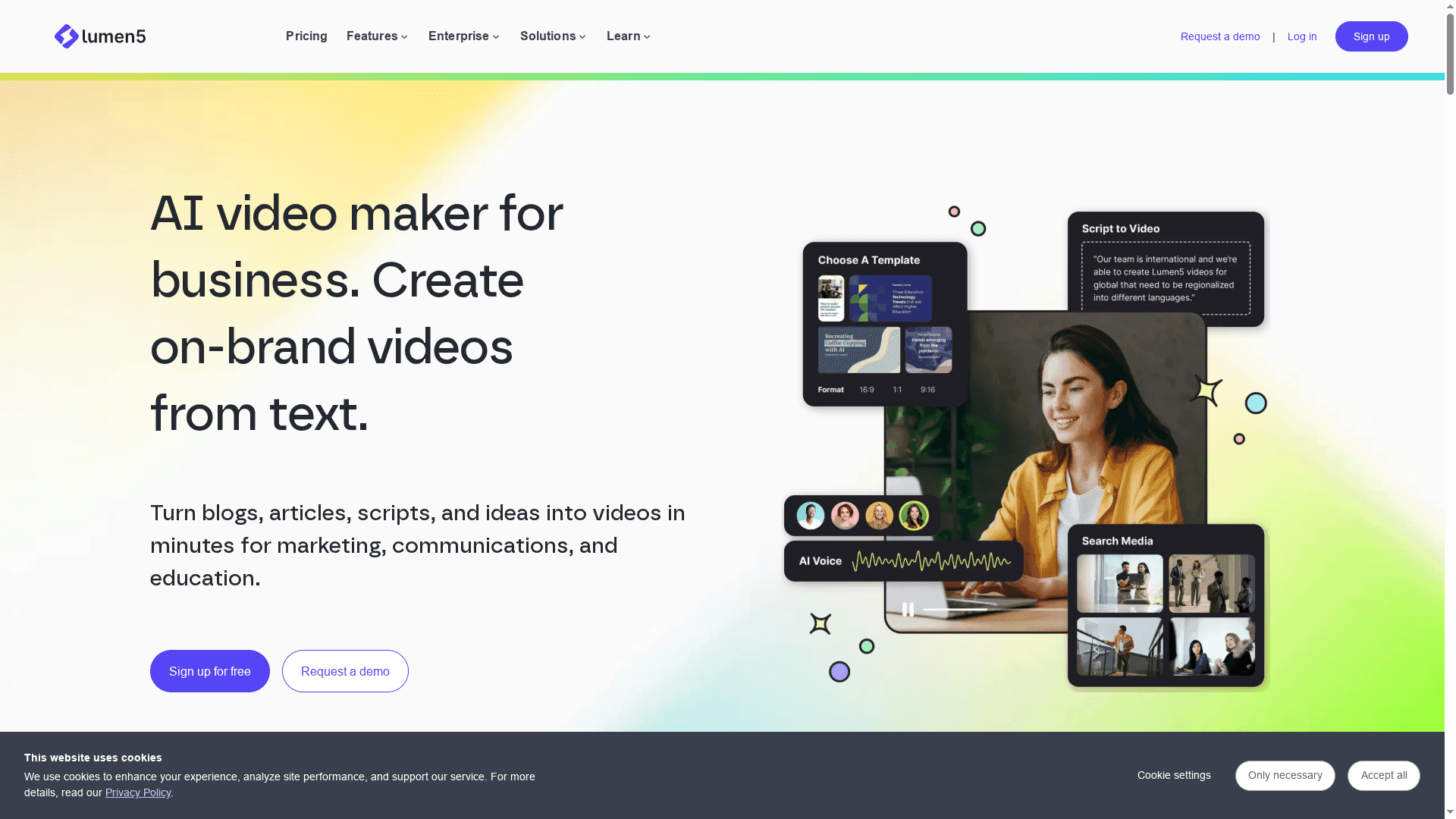
Lumen5 is an AI-powered video maker that turns text—blogs, articles, or scripts—into shareable videos without requiring technical editing skills. Since 2017 it has focused on helping teams scale video production through automation, brand controls, and team collaboration. Bottom line: it’s fast, approachable, and built for creators who need consistent, on-brand video output at scale rather than deep frame-by-frame control.
Core Features
Lumen5’s core capabilities center on AI-driven video creation from text and a friendly drag-and-drop interface that removes the typical editing learning curve. The platform offers customizable templates and brand controls so you can enforce fonts, colors, and logos across projects. It also provides a stock media library—including images and videos—available for unlimited use in higher-tier plans, plus collaboration tools for team workflows and dedicated support to help scale production.
Pros
- Easy to learn and use: The interface and AI-assisted workflow let non-editors produce polished videos without formal training.
- Speeds up production: Automating the conversion of text into scenes and visuals reduces turnaround from days or weeks to hours.
- Affordable tiering: Multiple pricing levels mean small teams and solo creators can start with a free or low-cost plan and scale up as needs grow.
- Strong brand controls: Template and brand settings help maintain visual consistency across videos for marketing and editorial teams.
- Team collaboration: Built-in collaboration features let multiple contributors work together on scripts, assets, and reviews.
Cons
- Limited deep customization: Lumen5 doesn’t offer the fine-grained editing, timeline control, or VFX found in professional NLEs, which constrains complex productions.
- Feature disparity across plans: Key capabilities—like full access to the stock media library—are gated behind higher subscription tiers, which can be surprising for users on lower plans.
- Some media locked to higher tiers: Certain images, clips, and unlimited media usage are only available in selected paid plans, requiring upgrades for larger campaigns.
Who It's For
Lumen5 is ideal for businesses, marketers, publishers, and solo creators who need to convert written content into video quickly and consistently. If your goal is to produce social clips, content marketing videos, or internal training assets without hiring editors, Lumen5 gives you a fast, repeatable pipeline.
Unique Value Proposition
Lumen5’s unique value is the blend of automated text-to-video conversion with brand control and team collaboration—letting organizations scale video output while enforcing visual standards. It’s not a replacement for pro editing suites; it’s a production multiplier for content-first teams.
Real World Use Case
A marketing team converts weekly blog posts into social videos using Lumen5’s AI to auto-generate scenes, then applies branded templates and schedules distribution. Production time drops from weeks to hours, and the team maintains consistent messaging and visual identity across channels.
Pricing
Starting at a free basic version; paid plans from $19/month (Basic), $59/month (Starter), $149/month (Pro), with customized enterprise options available.
Website: https://lumen5.com
AI Video Creation Tools Comparison
This comparison table provides an overview of key AI video creation tools, highlighting their features, pros, cons, pricing, and usability for easy decision-making.
| Product | Key Features | Pros | Cons | Pricing |
|---|---|---|---|---|
| Palmedor.ai | AI video creation, script generation, scene management | User-friendly, high-quality results, flexible editing tools | Depends on AI interpretation, requires stable connection | Starting at $28/month |
| Runway ML | AI models, image & video editing, style transfer, element removal | Broad toolkit, app flexibility, active R&D | High cost for large deployments, complex technical features | Free trials, custom enterprise |
| Synthesia | AI avatars & voiceovers, 140+ languages, team collaboration | Easy to use, fast production, supports multiple languages | Less detailed editing control, cost scales with usage | Starting at $18/month |
| Pictory | Text-to-video, URL conversion, automatic captions | Easy for non-editors, multilingual voices, broad automation | Higher tiers needed for advanced features, depends on internet performance | Starting at $19/month |
| Lumen5 | Text-to-video, brand controls, team collaboration | Easy learning curve, speeds production, affordable tiering | Limited deep customization, feature disparities across plans | Free basic, $19/month for higher plans |
Transform Your Video Creation with Palmedor.ai
Creating cinematic, professional-grade videos from simple concepts remains one of the biggest challenges highlighted in the Best AI Video Generators for Creators – Expert Comparison 2025. Many creators struggle with balancing high-quality output, creative control, and ease of use. If you have ever felt limited by generic AI video tools or overwhelmed by complex editing software, Palmedor.ai meets you exactly where you are. Its AI-powered platform converts your prompts and reference images into fully scripted scenes with studio-level rendering and flexible editing, eliminating the frustration of scattered workflows.
Key benefits include:
- Intuitive script generation and scene management that puts storytelling first
- Professional lighting and realistic characters for polished visuals
- Output customization for social clips, brand videos, or full-length projects
- Pricing plans tailored to different production scales and creative needs
Experience how quick and smooth video production can be when the technology adapts to your vision rather than the other way around.
Looking to elevate your multimedia projects without extensive technical hurdles? Discover how Palmedor.ai can streamline your creative process and help you produce cinematic content that truly stands out.
Explore Palmedor.ai to get started today.

Don’t settle for ordinary video generators. Unlock your full creative potential now with Palmedor.ai’s cinematic video platform. Step into a world where your ideas come to life faster, smarter, and with the polish of professional studios. Visit Palmedor.ai and transform the way you create video content today.
Frequently Asked Questions
What are the key features to look for in the best AI video generators for creators?
To identify the best AI video generators, focus on features such as ease of use, output quality, editing capabilities, and support for different formats. Evaluate tools that offer a streamlined workflow, from script generation to final rendering, to enhance your production speed and efficiency.
How can I determine if an AI video generator is suitable for my specific creation needs?
Assess your project requirements and consider the type of content you want to produce, such as social media clips, marketing videos, or training materials. Prioritize generators that align with your creative goals, whether that's automation, advanced editing options, or customization capabilities.
What are the common pricing structures for AI video generators?
Most AI video generators offer tiered pricing plans based on features, video length, and output quality. For instance, you might start at a lower monthly fee for basic functionality and increase your investment as your production needs grow, or choose annual plans for potential savings.
How much time can I save by using an AI video generator compared to traditional video editing?
Using an AI video generator can significantly reduce video production time, often from days or weeks to just hours. For example, if you typically take two weeks to produce a video, aim to cut that time by at least 70% using an automated solution.
Can AI video generators help with localization and translation for global audiences?
Yes, many AI video generators include features that facilitate localization and translation, allowing you to create content in multiple languages quickly. Choose a platform that handles these tasks seamlessly to maintain consistent messaging across diverse markets without extensive manual effort.
How do video quality and rendering capabilities vary among different AI video generators?
Video quality and rendering often depend on the software’s underlying technology, including aspects like character realism and lighting. Investigate the specified output quality and resolution options of each tool to ensure it meets your professional standards for distribution.