7 Best AI Tools for Content Creation: Filmmaker Guide
Discover 7 best AI tools for content creation. Learn essential tips for independent filmmakers to produce cinematic videos easily and professionally.
7 Best AI Tools for Content Creation: Filmmaker Guide
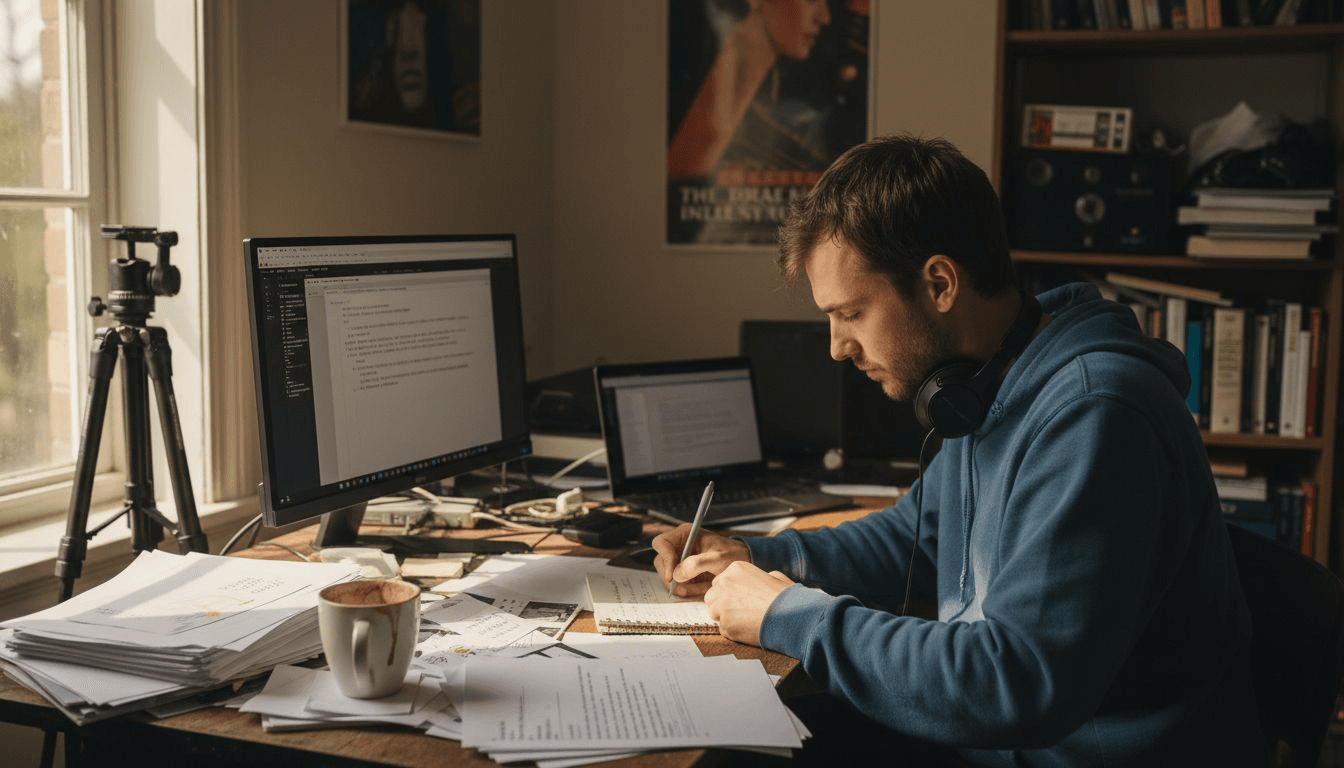
Turning your film idea into a finished video often feels overwhelming. Between scriptwriting, scene creation, editing, and adapting your work for multiple platforms, every stage demands both time and technical skill. It is easy to lose momentum—or your creative spark—when you’re faced with endless manual tasks.
AI filmmaking tools now offer a way to remove those barriers. You can move from concept to completed film with far less hassle by using solutions that help generate scripts, automate scene creation, and handle critical editing steps. These advances analyze massive data sets, saving you time and letting you focus on what makes your story unique.
Get ready to discover a collection of practical methods that will help you write, design, edit, and deliver your next film project faster and with greater creative control. Each insight is designed to give you an immediate action step towards a more manageable and rewarding filmmaking process.
Table of Contents
- Transform Ideas Into Scripts With AI-Powered Writing
- Automate Scene Creation For Cinematic Storytelling
- Use Smart Presets To Streamline Video Production
- Customize Output Formats To Fit Every Platform
- Enhance Videos With AI-Generated Cast And Audio
- Create Moodboards For Visual Inspiration
- Accelerate Editing And Rendering With Advanced AI
Quick Summary
| Takeaway | Explanation |
|---|---|
| 1. Use AI for Script Development | AI tools convert film ideas into structured scripts, saving time and enhancing creativity. |
| 2. Automate Scene Creation | AI automates scene design, allowing you to focus on storytelling instead of technical tasks. |
| 3. Implement Smart Presets | Smart presets streamline editing by applying consistent color grading and effects automatically. |
| 4. Customize Video Output | AI tools adapt your film for various platforms automatically, enhancing distribution efficiency. |
| 5. Utilize AI for Cast & Audio | AI-generated actors and voices reduce production costs, creating believable performances without hiring talent. |
1. Transform Ideas into Scripts with AI-Powered Writing
Your film idea starts as a spark in your mind, but turning that spark into a polished script takes time and skill. AI-powered writing tools now bridge that gap, helping you generate structured scripts from simple descriptions or rough outlines. These tools analyze patterns in thousands of scripts to produce dialogue, scene descriptions, and narrative arcs that actually work for filmmaking.
The real power lies in how AI handles the heavy lifting of structure while you focus on storytelling. When you feed an AI writing tool a clear prompt about your film's concept, characters, and tone, it generates coherent draft material you can build from. This is different from staring at a blank page for hours. You're not replacing your creative vision; you're accelerating the drafting phase so you can spend more time refining what matters.
AI-powered writing tools like specialized scriptwriting platforms handle scene construction, dialogue formatting, and narrative pacing. They keep your writing consistent and structured while maintaining the emotional beats your story needs. The AI analyzes your input and generates material that follows actual screenplay conventions, which saves you from manual formatting headaches.
Start by writing a detailed prompt. Describe your protagonist, the central conflict, your film's mood, and key plot points. The more specific you are, the better results you get. Instead of saying "romantic drama," try "slow-burn romance between a documentary filmmaker and a reluctant subject, set in rural Montana over one winter." That specificity drives AI to generate scripts tailored to your vision.
One crucial step after generation: always review and corroborate what the AI produces. Understanding AI capabilities and limitations means you integrate the generated content ethically and authentically. Edit for dialogue authenticity, cut redundant scenes, and inject your personal voice. The AI gives you a foundation, but your creative judgment builds the final structure.
This workflow works especially well when you're developing multiple concepts or working with tight deadlines. You can generate several script variations from the same prompt and choose the one that best captures your vision. What once took weeks of writing can now be outlined and drafted in days.
Pro tip: Combine AI script generation with Palmedor.ai's video creation capabilities by using generated scripts as your input. The AI-written dialogue and scene descriptions feed directly into cinematic video production, letting you move from script to finished video faster than traditional filmmaking workflows.
2. Automate Scene Creation for Cinematic Storytelling
Manually creating every scene in your film means designing backgrounds, positioning characters, managing lighting, and ensuring visual continuity across shots. That's exhausting work that pulls focus from your actual creative vision. AI-powered scene automation handles these technical production tasks, letting you concentrate on storytelling and directorial choices that matter.
Modern AI scene creation uses techniques like text-to-image and image-to-video generation to produce complete scenes from descriptions. You describe a scene, the AI generates it visually, and you refine the result. This isn't replacing cinematography; it's automating the tedious setup work so your creative energy goes toward performance direction, emotional beats, and narrative impact.
Generative AI technologies now automate scene generation by maintaining consistent characters, aesthetic coherence, and continuous motion throughout your sequences. The AI learns your film's visual style and applies it consistently, which is crucial for maintaining viewer immersion. When scenes look cohesive, audiences stay engaged with your story instead of noticing visual jarring moments.
Consider how this works practically. You write in your script: "Interior, abandoned warehouse at dusk, rain streaking through broken windows, character standing alone among machinery." The AI generates that scene visually, complete with mood lighting and spatial depth. You can then adjust color grading, add or remove elements, or reposition the character without rebuilding the entire scene from scratch.
AI systems assist with digital character modeling, scene design, and movement synchronization, enabling more efficient production while maintaining artistic control. This means you're not locked into generated scenes. You have creative authority over every element. The automation simply eliminates the grunt work of initial scene construction and asset placement.
For independent filmmakers, this acceleration is transformative. Projects that once required months of pre-visualization and set building can now move to production in weeks. You focus on the performances, the emotional truth of moments, and the pacing that makes stories resonate.
Pro tip: Use Palmedor.ai to transform your automated scenes into finished video sequences with a single prompt. Feed your scene descriptions directly into the platform, and let AI handle both scene creation and cinematic video rendering, compressing your entire production timeline significantly.
3. Use Smart Presets to Streamline Video Production
Color grading, visual effects, sound synchronization, and scene detection consume enormous amounts of editing time. Each shot requires individual attention, tweaking, and refinement. Smart presets powered by AI eliminate this repetitive grunt work by analyzing your footage and applying optimized adjustments automatically. You get professional results faster, without sacrificing creative control.
Smart presets use machine learning to understand the specific style and requirements of your film. Instead of manually adjusting color curves for every scene, the AI learns your aesthetic preferences and applies them consistently across sequences. This creates visual coherence that keeps audiences immersed in your story rather than distracted by inconsistent color grading or jarring transitions.
AI smart presets automate color grading, visual effects, and editing tasks while maintaining the unique look you want for your project. The system adapts to your film's particular style, reducing manual adjustments and ensuring consistent output quality even across complex, multi-scene projects. Think of it as having an experienced colorist working alongside you.
The practical benefit is time reclaimed for creative decisions. Smart presets handle scene detection, color correction, and sound synchronization automatically, allowing you to focus on performance, pacing, and emotional storytelling. You're no longer stuck in technical minutiae. You're directing your film instead of fighting with editing software.
Here's how to implement this effectively. Start with presets designed for your film's genre and mood. A thriller needs different color grading than a romantic drama. Apply the preset across your footage, then review the results. Make selective adjustments where your creative vision diverges from the automation. The preset gives you a solid foundation; your artistic judgment refines it into something uniquely yours.
Independent filmmakers often work with tight timelines and limited resources. Smart presets compress your post-production schedule significantly. What used to take weeks of color correction now takes days. You maintain quality while accelerating output, which is the real win for creators working without large crews.
Pro tip: Layer multiple smart presets in Palmedor.ai to establish your film's distinct visual identity quickly. Test different preset combinations during your first few scenes, then lock in the approach that captures your intended mood before applying it across your entire project.
4. Customize Output Formats to Fit Every Platform
You finish your film and realize it needs to exist in five different formats. Instagram Reels require vertical video. YouTube wants widescreen. Your film festival submission demands a specific aspect ratio. Traditional approaches mean exporting multiple versions manually, each requiring separate renders and quality checks. That's hours of repetitive work that drains your energy before your content even reaches audiences.
Modern AI platforms handle output customization automatically by analyzing your original footage and intelligently adapting it for each platform's requirements. This isn't simple cropping or stretching. The system understands composition, maintains visual focus on important elements, and adjusts aspect ratios while preserving your film's intended look. Your story stays intact regardless of format.
Advanced AI-driven platforms customize output formats for digital and traditional media through intelligent resizing, aspect ratio adjustments, and format conversion. This technology lets you reach worldwide audiences with content optimized specifically for each platform's technical specifications. One master file becomes multiple platform-ready versions automatically, expanding your reach without exponential work.
Think about your actual distribution strategy. A short film might start on TikTok and Instagram, then move to YouTube, finally reaching festival submissions or streaming platforms. Each platform demands different dimensions. Without automation, you'd spend days converting files. With smart output customization, you render once and let the system generate every variation simultaneously.
The practical workflow is straightforward. You complete your edit and specify target platforms. The AI generates optimized exports for vertical formats like Instagram Stories, square formats for TikTok, widescreen for YouTube, and cinema formats for festivals. Each version maintains color grading, effects, and audio quality consistently. You review outputs, approve them, and distribute immediately.
This capability transforms how independent filmmakers approach distribution. You're no longer limited by technical constraints. Geographic boundaries dissolve when your content automatically adapts to global platform standards. You focus on storytelling while technology handles technical adaptation.
Pro tip: Set up output presets in Palmedor.ai for your regular distribution channels before you start editing. When your project is complete, batch render all platform variations simultaneously instead of exporting them one at a time, cutting your post-production timeline dramatically.
5. Enhance Videos with AI-Generated Cast and Audio
Casting actors and recording voiceovers traditionally requires scheduling conflicts, travel costs, and studio time. Your independent budget doesn't stretch that far. AI-generated cast and audio now allow you to add realistic characters and professional voiceovers without hiring talent or booking recording sessions. You can create complete performances that feel authentic and emotionally resonant.
AI-generated actors use digital recreation technology to create believable characters that move naturally and express emotion convincingly. Synthetic voiceovers have evolved beyond robotic monotones into nuanced performances with emotion, accent variation, and character consistency. These tools don't replace human actors for narrative films, but they solve real production problems when you need specific characters, languages, or quick turnarounds.
AI systems generate realistic virtual actors and synthetic voiceovers that significantly broaden your creative possibilities while lowering production costs. Character recreation, voice modulation, and customized audio tracks become accessible without extensive audio recordings or live talent. This technology particularly benefits international projects where language barriers or location constraints would otherwise limit casting options.
AI-generated cast includes digital actor recreation, avatars, and voice synthesis that facilitate new storytelling techniques and cost efficiencies. You describe the character you need, adjust performance parameters, and the AI generates footage that matches your direction. For voiceover work, you specify tone, pace, emotion, and accent. The system delivers professional audio that integrates seamlessly into your edit.
Consider practical applications. You're making a commercial that needs voiceovers in five languages. Instead of hiring voice actors in each market, you generate synthetic voiceovers that sound natural to local audiences. You're filming a sci-fi story requiring futuristic characters. AI creates those beings without expensive prosthetics or motion capture suits.
The key is using this technology intentionally. It works beautifully for supporting roles, commercial narration, and creative scenarios where authenticity means narrative believability, not human origin. Your creative vision guides every decision about when and how to deploy AI-generated performances.
Pro tip: Test AI-generated audio and cast options early in post-production rather than late. This lets you refine performances and make creative adjustments before locking your edit, ensuring generated elements feel integrated rather than added as afterthoughts.
6. Create Moodboards for Visual Inspiration
Visual storytelling starts with a shared understanding of mood and aesthetic. You're imagining a gritty, desaturated color palette with industrial textures, but your team envisions something else entirely. Traditional moodboard creation means manually hunting through Pinterest, collecting reference images, and organizing them manually. AI streamlines this process by curating and organizing visual inspiration automatically based on your film's concept.
AI-powered moodboard tools extract and organize visual elements, color palettes, and thematic concepts from massive datasets of artwork and film imagery. When you describe your film's aesthetic, the AI searches through thousands of images and compiles a curated collection that matches your vision. You're not starting from scratch. You're working from AI-discovered references that already align with your creative intent.
AI tools create moodboards by extracting visual elements and color palettes that serve as planning aids and creative inspiration. These curated collections enhance your creative process with AI-enabled discovery of stylistic references. Your team reviews the same visual language, ensuring everyone understands the film's intended look before production begins.
Moodboard creation becomes streamlined by automatically generating image collections that align with your script and concept. This facilitates visual brainstorming while guiding aesthetic choices in production design. You maintain a cohesive visual style across locations, scenes, and even different filming days because everyone references the same AI-curated aesthetic guide.
Here's how to use this effectively. Start by describing your film in specific terms. Instead of saying "dark and moody," say "desaturated blues and grays with practical tungsten lighting and weathered industrial materials." The AI generates a moodboard matching that description. You refine by adding or removing images, adjusting color tone, and focusing on the exact aesthetic you need.
This approach saves weeks of visual development. Your production designer, cinematographer, and art department all work from the same reference. Continuity improves. Creative decisions happen faster. Budget stays on track because everyone knows the visual target before scouting locations or building sets.
Pro tip: Create multiple moodboards for different locations or time periods within your film using Palmedor.ai's inspiration tools. Share these throughout your team during pre-production planning so cinematography, set design, and wardrobe all reflect your intended visual story before cameras roll.
7. Accelerate Editing and Rendering with Advanced AI
Post-production traditionally consumes half your production timeline. You're sorting through hundreds of clips, manually marking in and out points, applying effects individually, and waiting for renders that take overnight. That's time you could spend on creative refinement or moving to your next project. Advanced AI editing tools collapse this timeline dramatically by automating the tedious technical work.
AI algorithms handle scene detection automatically by analyzing your footage and identifying natural cuts, transitions, and rhythm patterns. The system suggests optimal edit points based on professional editing conventions. Noise reduction, color correction, and effect application happen in parallel rather than sequentially. What used to take weeks now compresses into days because you're not blocked waiting for one task to finish before starting the next.
Advanced AI algorithms accelerate editing by automating scene detection, cut suggestions, noise reduction, and color correction. These tools enable rapid rough cut production, allowing you to focus on creative refinement rather than technical tedium. Your turnaround time in post-production shrinks significantly, meaning you deliver finished work faster.
AI-powered editing tools automate footage sorting, effect application, and rendering optimization while supporting high-quality output and precision. You manage large volumes of video content with greater speed, which is invaluable when shooting multiple angles, extensive B-roll, or documentary-style footage. The AI intelligently organizes material and applies consistent quality standards across everything.
Your actual workflow becomes cleaner. Import raw footage. The AI generates a rough assembly with scene detection and basic color correction. You review that assembly and refine it creatively, adjusting pacing, trimming scenes, and enhancing emotional beats. Instead of drowning in technical details, you're making creative choices that actually elevate your film.
Rendering optimization accelerates final export significantly. The AI analyzes your project complexity and distributes rendering tasks efficiently across available hardware. A project that took 12 hours to render now takes 3. That speed compounds when you're working with 4K footage, complex effects, or multiple deliverable formats.
Pro tip: Enable AI scene detection and auto-color correction on your first pass through Palmedor.ai, then layer your creative decisions on top of that automated foundation. This approach gets you a polished first assembly in hours rather than days, leaving time for meaningful creative refinement.
The table below provides a summary of the key technologies and strategies for enhancing modern filmmaking processes, as discussed in the article.
| Technology/Strategy | Description | Benefits |
|---|---|---|
| AI-powered scriptwriting | Utilizes AI tools to transform conceptual ideas into structured scripts by analyzing existing works and generating dialogue and scenes. | Reduces time spent on initial drafts, maintains structural integrity, and allows creators to focus on refining storytelling. |
| Scene automation | Generates visual scenes from textual descriptions, automating the production of assets, lighting, and character placement. | Speeds up pre-visualization, maintains visual consistency, and frees creators to focus on directorial choices. |
| Smart presets | Applies preconfigured adjustments for visual effects, grading, and sound synchronization using AI analysis of the footage. | Ensures professional quality while accelerating editing processes and maintaining artistic control. |
| Output customization | Creates optimized content for different platforms by tailoring aspect ratios and formats automatically. | Streamlines multi-platform releases, preserving quality and composition across formats. |
| AI-generated cast and audio | Provides digital actors and synthetic voiceovers for streamlined casting and performance creation. | Reduces costs and logistical challenges, while broadening access to diverse characters and languages. |
| Moodboard creation | Curates visual inspiration and thematic references based on a project’s aesthetic description. | Facilitates cohesive design planning and ensures alignment across creative teams. |
| Advanced editing AI | Automates scene detection, shot selection, and rendering optimizations to accelerate post-production workflows. | Creates efficient editing processes, allowing for faster project completion without sacrificing quality. |
Unlock Your Filmmaking Potential with AI-Driven Video Creation
The journey from script to screen is often filled with challenges like tedious scene setup, complex editing, and the pressure to deliver multiple format outputs. This article highlights how AI tools revolutionize these pain points by streamlining script generation, automating scene creation, and accelerating editing workflows. If you want to move beyond those time-consuming tasks while maintaining creative control and cinematic quality, a powerful solution is closer than you think.

Discover how Palmedor.ai transforms your ideas into fully-realized videos using AI-powered tools tailored for filmmakers and content creators. From generating scripts and smart presets to customizing output formats effortlessly, Palmedor.ai saves you time and unlocks professional-grade results without the steep learning curve. Start your next project with confidence by visiting Palmedor.ai video creation platform and explore features like AI-assisted scripting and scene management that put you in control. Don’t wait to elevate your filmmaking workflow—try Palmedor.ai today and turn your creative vision into stunning videos rapidly.
Frequently Asked Questions
How can AI tools help streamline my scriptwriting process?
AI tools can significantly speed up script development by analyzing your film ideas and generating structured drafts based on your prompts. To utilize this feature, provide detailed descriptions of your plot, characters, and tone. You can expect quick drafts in a matter of days instead of weeks.
What is the benefit of automating scene creation with AI?
Automating scene creation with AI can save you time and enhance your creative focus by generating visual elements from your script descriptions. To implement this, simply describe your scenes in detail and allow the AI to handle the visual setup, reducing your pre-production time by weeks.
How do smart presets improve video editing efficiency?
Smart presets analyze your footage to apply optimized adjustments for color grading, sound synchronization, and visual effects automatically. To improve your editing workflow, start with presets tailored to your film's genre and review the results for consistency, enabling you to complete editing tasks in days rather than weeks.
Can AI-generated characters and audio replace traditional casting?
Yes, AI-generated characters and audio can provide quick and cost-effective alternatives for supporting roles, voiceovers, or characters in situations where hiring talent is impractical. Use this technology early in your post-production to refine performances and ensure they integrate seamlessly into your project.
How can I create effective moodboards using AI?
AI tools can automatically curate and organize visuals based on the aesthetic of your film, saving you time and aligning your team’s vision. To create moodboards efficiently, describe your film's intended look in specific terms and let the AI generate a collection you can further refine.
What impact does AI have on post-production timelines?
AI can drastically reduce post-production timelines by automating tedious tasks like scene detection, cut suggestions, and rendering optimization. Start by enabling AI features during your first edit, and you may see turnaround times shrink from weeks to just a few days, allowing more time for creative refinement.